Field Service
You’re on a job site all day. The office still keeps up.
Work orders, technicians and the schedule live on one board. While your hands are full, Smooth Operator tells you who called, drafts the reply and sets the follow-up, and asks before anything goes out.
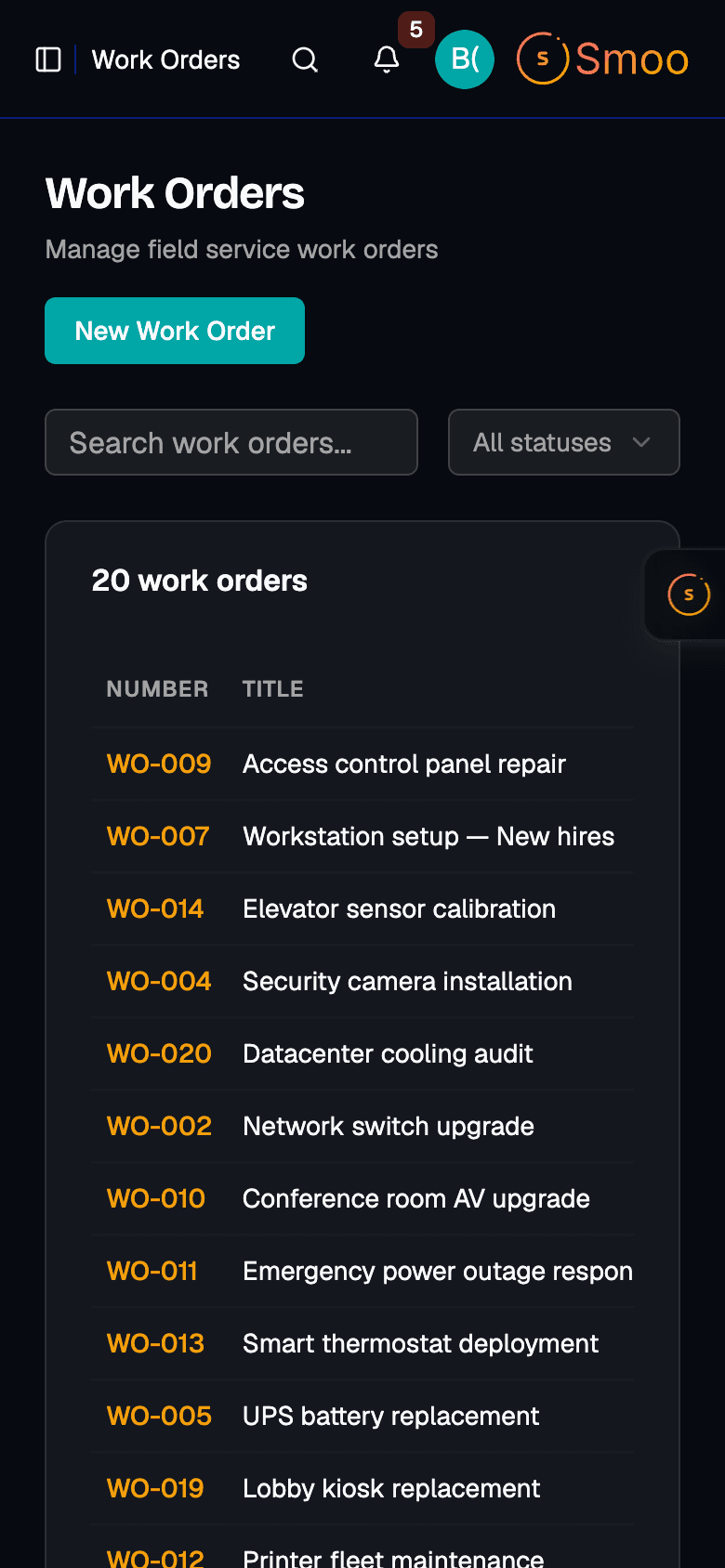
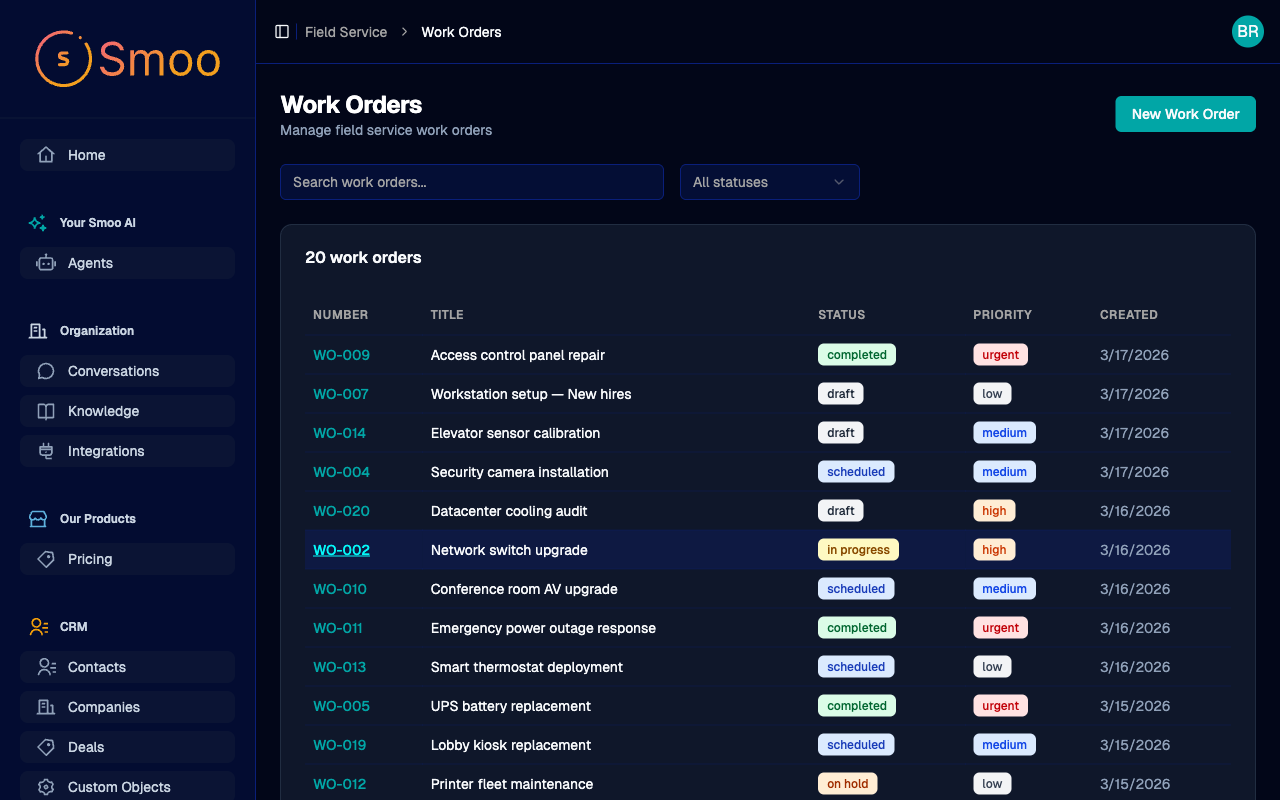
The board keeps the jobs. Smooth Operator keeps the phone.
1
Log the job.
A work order holds the customer, the site, what’s wrong and how urgent it is, from draft to scheduled to done.
2
Send the right tech.
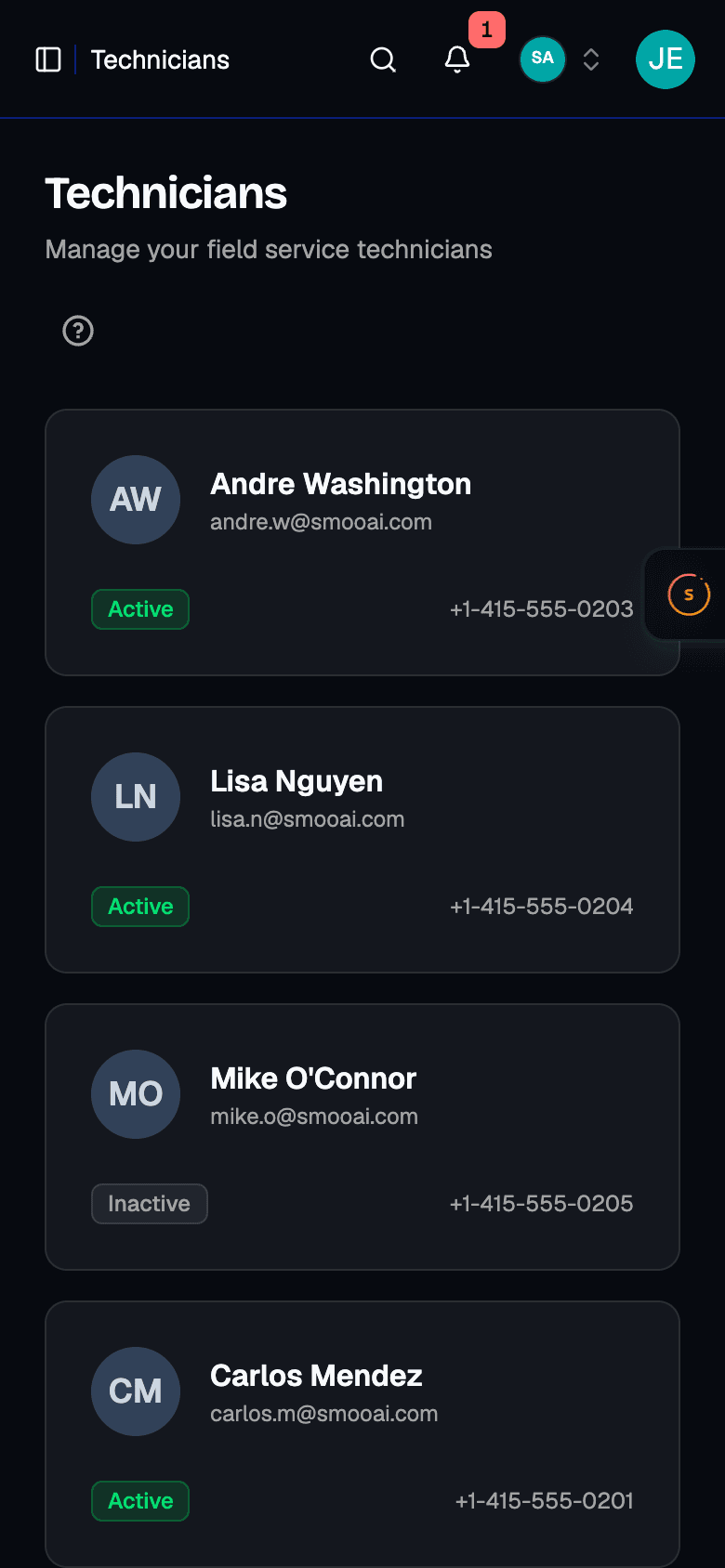
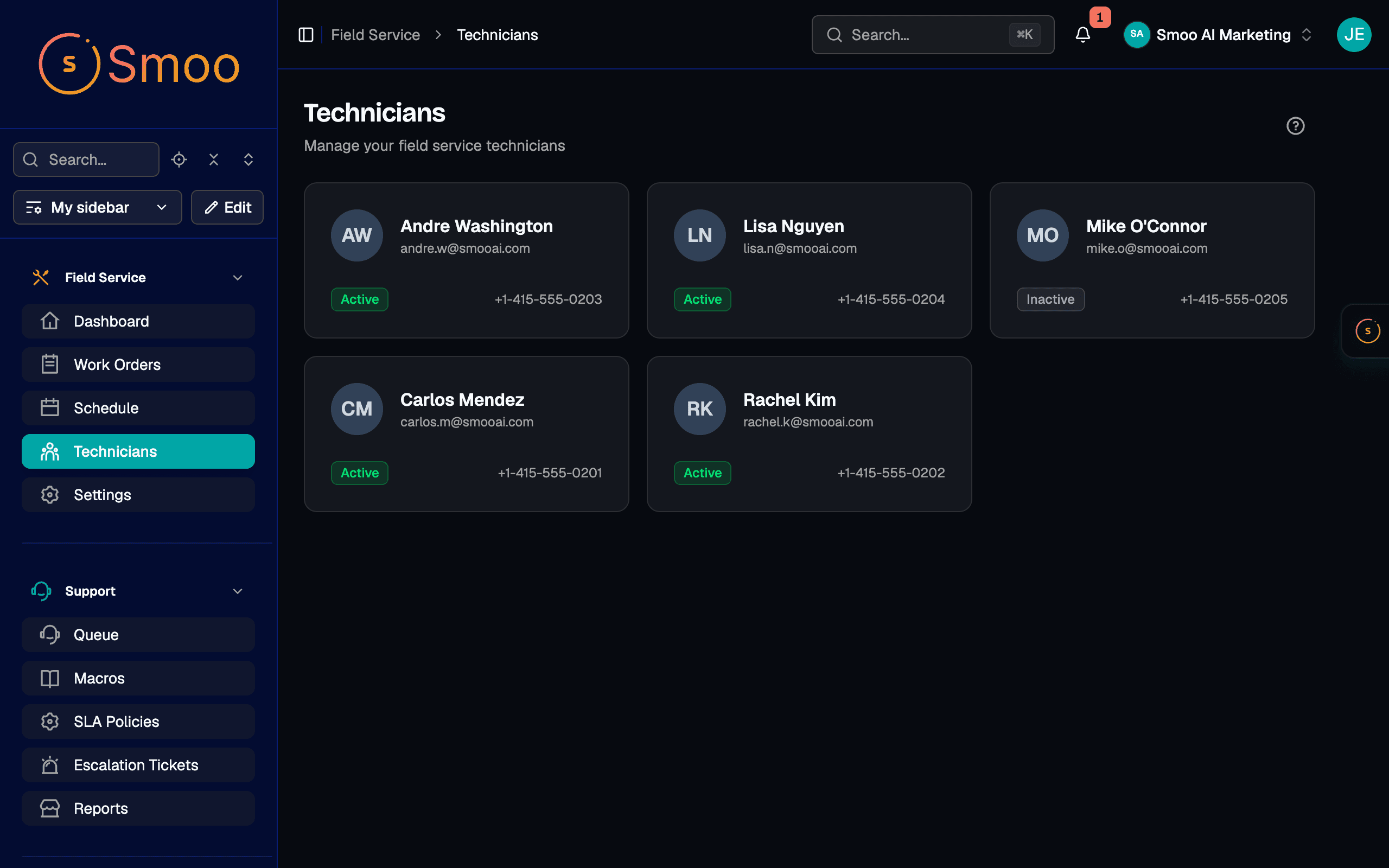
Technicians carry their skills and service areas, so you can see who fits a job before you assign it.
3
Keep the office moving.
Smooth Operator reads the voicemails, drafts the replies and sets the follow-ups while you’re on the ladder.
Ask who called. It reads the voicemails for you.
Smooth Operator is the assistant inside Smoo. It reads your calls, voicemails and contacts, and asks before it sends an email or adds a task.
Know who can take the job before you pick up the phone.

- Every job has a status.
- Draft, scheduled, in progress, on hold, completed, with a priority from low to urgent.
- Every tech has a profile.
- Skills, service areas and contact details, plus whether they’re active.
- The week, on one calendar.
- Scheduled visits on a calendar, so you can see who is booked when.
- Customers hear from you.
- Customer notifications go out from the job, so nobody has to remember to call.
It keeps the office moving. You decide who goes where.
Every tool has an off switch.
Org admins choose exactly what it may touch — turn off email sending and it can never send mail, for anyone.
It asks before it acts.
Outbound email, CRM writes, anything consequential — it drafts, you approve, edit, or decline. Nothing happens without your say.
Your team is one tap away.
Complex or sensitive conversations hand off to a person with the full history attached — escalation is a feature, not a failure.
Everything is on the record.
Every action it takes lands in the audit log with who, what, and when — review it any time.
Smooth Operator — allowed tools
Org admin · applies to every conversation
Answer from the knowledge base
Update CRM contacts & deals
Requires your approval before it runs
Send email
Requires your approval before it runs
Publish to social
Requires your approval before it runs
Activity log
Drafted follow-up to Aisha Patel · waiting on your approval · 2m ago
Escalated billing question to Sam · full history attached · 1h ago
Fair questions
The questions people ask first. Straight answers.
Will this replace my dispatcher?
No. It takes the phone and inbox chores, like who called, what they wanted and the reply, so your dispatcher spends the day on the board deciding who goes where. Nothing is sent and no task is added until someone says yes.
Can Smooth Operator create work orders?
Not yet. It handles the calls, emails and follow-up tasks around a job, and tells you when the work order is yours to add. You create and assign work orders on the board.
Does it track my technicians on a map?
Not today. Each technician has skills and service areas, and each work order has a site and a schedule, so you can see who should take a job. Live location tracking isn’t something we offer yet.
Can it call a customer back for me?
It gets the call ready on your Phone page with the number filled in, and you press Call. It reads voicemails and missed calls whenever you ask.
What does it cost?
Field Service is a monthly add-on that covers up to 10 technicians, 500 work orders and 5 service areas, with a 7-day free trial.
Why not a standalone field service app?
Because the job is only half of it. Here the work order, the customer’s record, their calls and their emails live together, so the assistant reading your voicemails knows which customer the beeping panel belongs to.
Get off the ladder to a phone that’s already been handled.
Start a trial, add your technicians and your first jobs, and ask Smooth Operator who called while you were out.
Field Service $59/mo
Up to 10 technicians, 500 work orders and 5 service areas. 7-day free trial.