Your email is landing in spam. Here's exactly why — and what to change.
Smoo grades your domain's SPF, DKIM, DMARC and blocklist status and tells you in plain English what to fix. Then it reads the reports Gmail and Outlook send about your domain every day, so you can see every service sending email as you — including the ones nobody told you about.
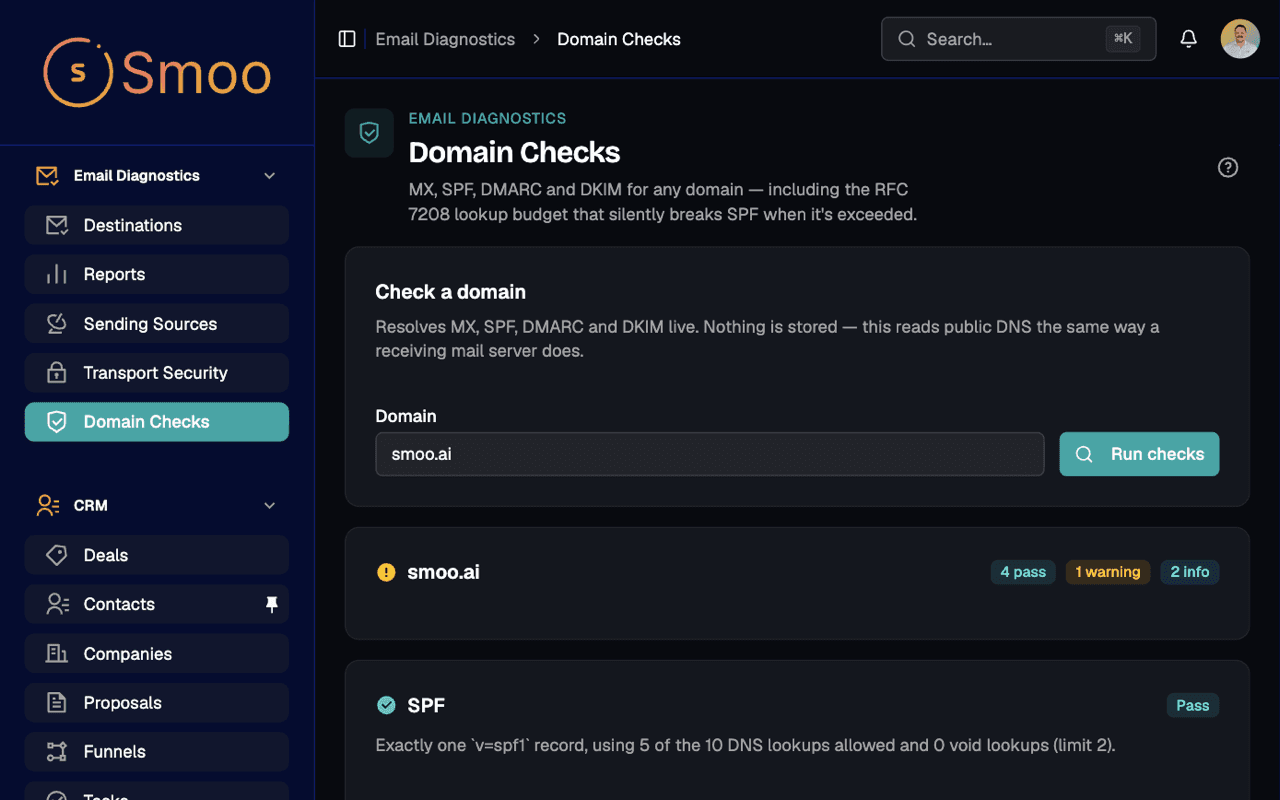
The live report for smoo.ai, straight from the product.
Domain checks
Every check tells you what to change. Not just pass or fail.
A red X is not something you can act on. Each check comes back graded pass, warn or fail, with the record we found and a sentence about what to do next.
MX
Your mail servers exist and resolve — and a deliberate "no mail here" record is reported as a choice, not a fault.
SPF
Counts every DNS lookup against the limit of 10. Go one over and SPF quietly fails for all of your mail, and nothing tells you.
DKIM
Probes the selectors providers use and flags revoked keys. When none answer, it says "inconclusive" — never a false "missing".
DMARC
Reads your policy, alignment and reporting addresses, and says plainly whether you are enforcing or only watching.
Blocklists
Checks your mail servers against six blocklists receivers actually use, including Spamhaus. A list that refuses to answer is shown as "couldn’t check" — never as clean.
MTA-STS & BIMI
Fetches and validates your MTA-STS policy, and checks your BIMI logo record against the DMARC policy it depends on.
Sending sources
Everything sending mail as you, named and counted.
Every DMARC report lists the servers that sent mail using your domain. Smoo turns that into a list of the services behind them — your CRM, your help desk, the invoicing tool someone signed up for last spring.
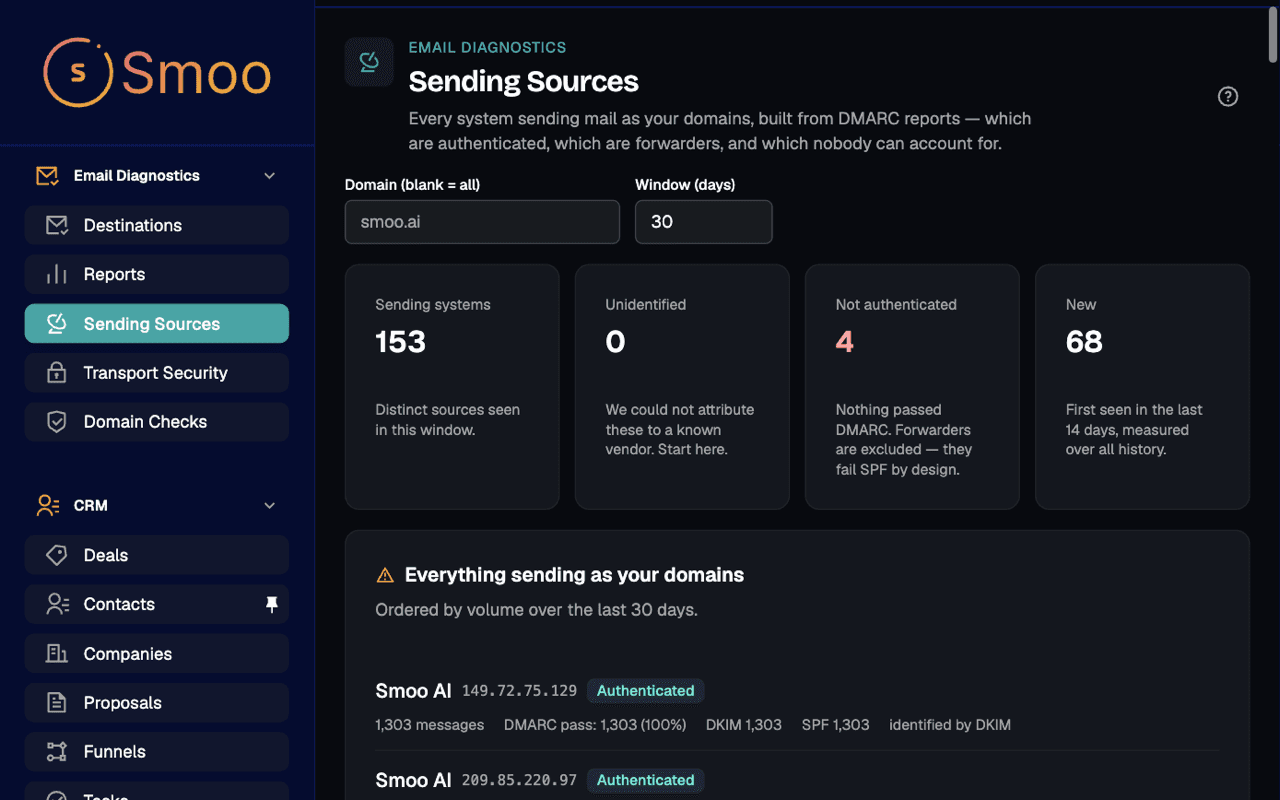
- Named from the signature that verified first, then the envelope sender — so SendGrid shows up as SendGrid, not as your bounce subdomain.
- Forwarders are labelled, so a mailing list breaking SPF does not look like an attack.
- Anything we cannot name is listed as unidentified — never guessed. Those are the rows worth a look.
- Pass and fail volume for each source, with the raw authentication results one click away when something fails.
DMARC reports
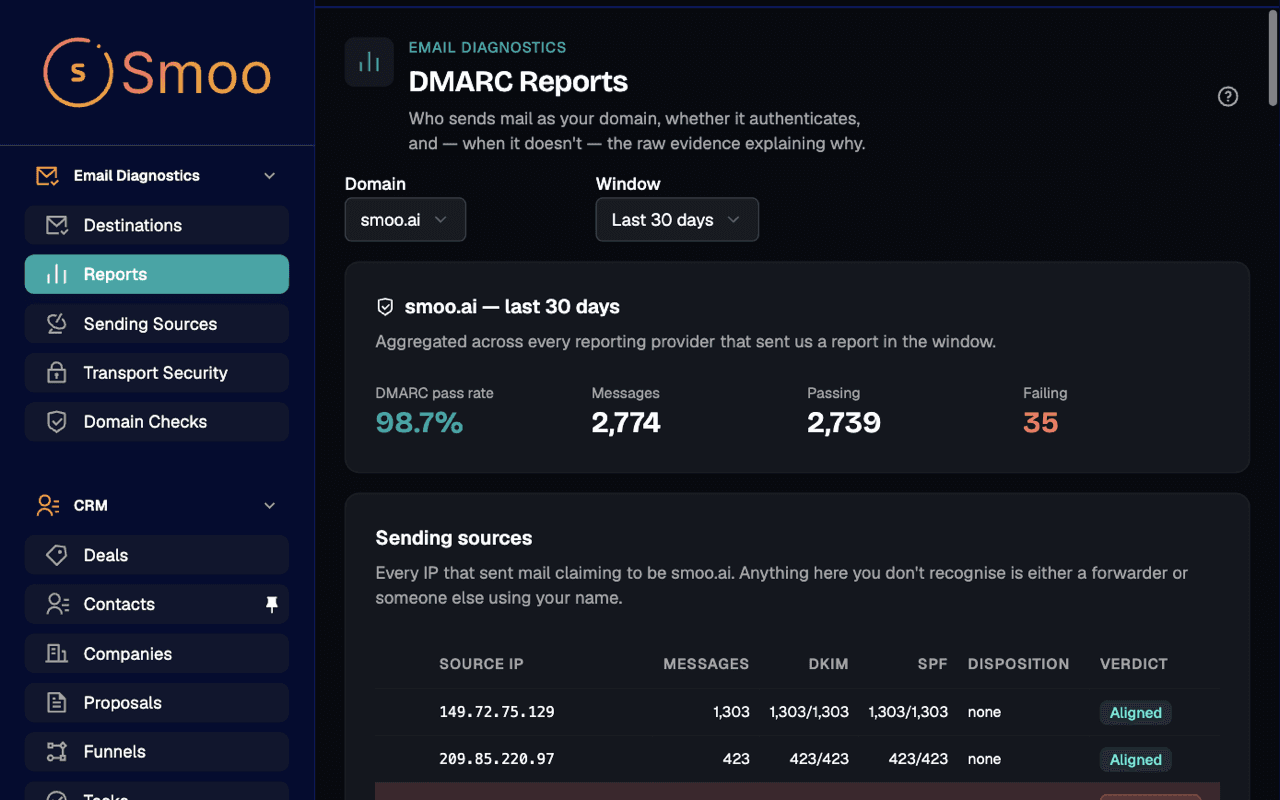
The reports Gmail sends you, without the XML.
Mailbox providers email a zipped XML report about your domain every day. Add one address to your DMARC record and Smoo reads them for you — how much mail passed, what failed, and why.
Changing how your mail is sent?
Email Signatures adds your company signature to every email in transit. This is how you prove it kept DKIM and DMARC passing.
Safe to switch on
Nothing to break. Nothing hidden.
It only reads.
Checks look up public DNS records. Nothing here changes your DNS or touches your mail.
A check that could not run never reports a pass.
Refused lookups and silent reporting are shown as their own state, so "no problems" always means we looked.
Your reports stay yours.
DMARC reports are stored per organization and only your team can see them.
Fair questions
What people ask after their first spam complaint.
What do I have to change in my DNS?+
For the checks, nothing — they read what is already published. To see DMARC reports, add the reporting address Smoo gives you to the rua= tag of your existing DMARC record. For TLS reports, publish one more TXT record. The Destinations screen shows both records ready to paste.
I added the record and see no reports. Is my mail fine?+
Not necessarily — and Smoo will not pretend it is. Mailbox providers send nothing at all when a reporting record is wrong, so silence looks exactly like a broken setup. Smoo shows "no reports received yet" as a problem to fix, with the checklist to fix it, instead of an empty chart.
How is this different from a free DNS lookup tool?+
A lookup tool tells you what a record says today. Smoo also reads the daily DMARC reports Gmail, Outlook and Yahoo send about your domain, so you see what actually happened to your mail — which services sent it, and which of it failed — over up to 400 days of history.
Can I check a domain I do not own?+
Yes. Domain checks work on any domain, which makes them handy for a vendor you are about to let send on your behalf. DMARC reports only arrive for domains whose DMARC record points at your Smoo address.
Does it alert me when something breaks?+
Not yet. Today you open the dashboard to see the latest checks and reports. Alerting on authentication regressions is not available yet.
Does it work with Microsoft 365, Google Workspace, SendGrid…?+
Yes. Checks and DMARC reports are about your domain, not your mail provider, so they cover every service that sends as you — whatever it runs on.
Stop guessing why mail bounces. Read the receipts.
Run the checks on your domain the day you sign up. Add one address to your DMARC record, and the first reports usually arrive within a day.
Get a deliverability review
Tell us your domain and we'll walk through its checks and sending sources with you.
By submitting this form, you agree to our Privacy Policy and Terms of Service.