Smoo on iPhone, iPad and Android
You left the office. You didn’t leave the business.
The message you read at a stoplight. The card that went in your jacket and never in the CRM. Smooth Operator — the same one, with the same memory of your org and the same limits on what it may do — is native on your phone, so seeing it and handling it stop being two different days.

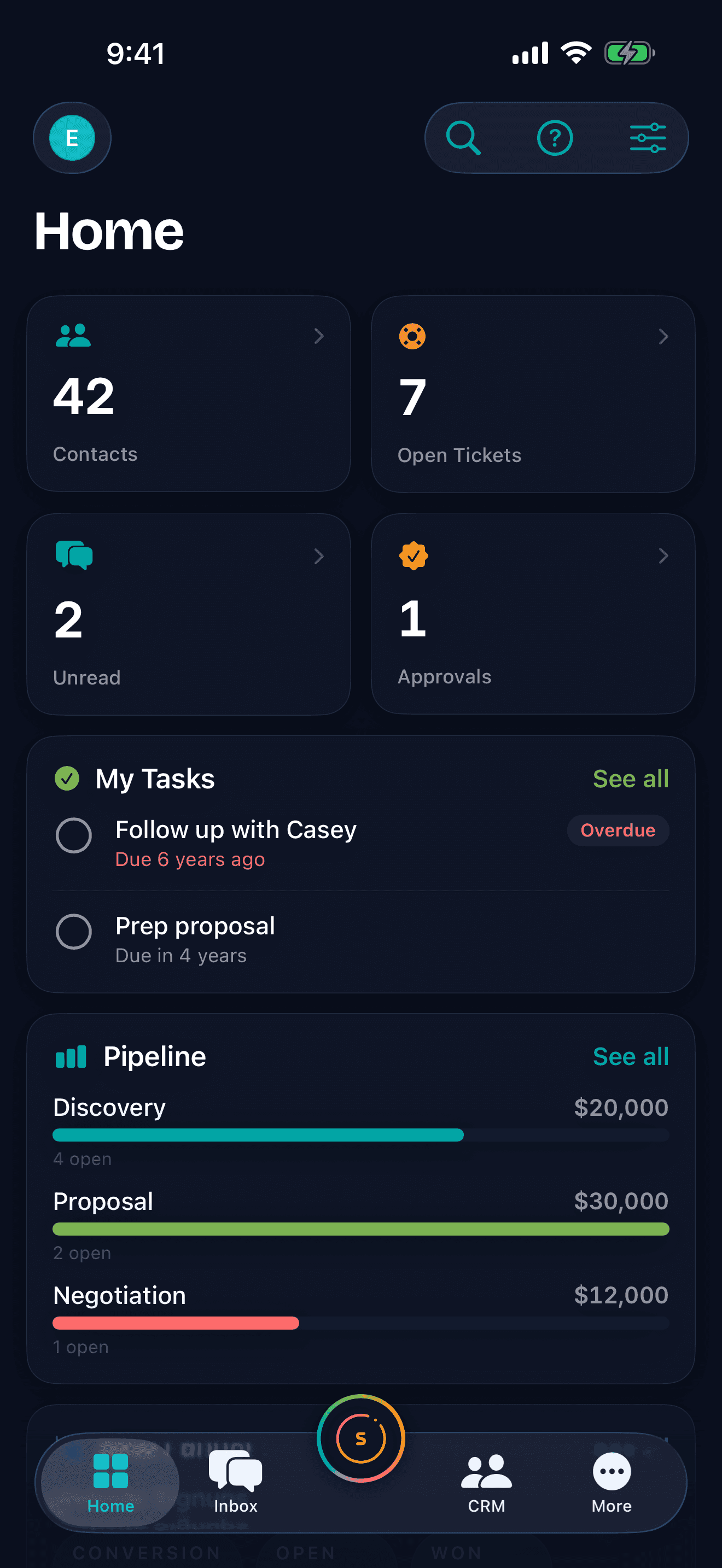
One operator. One memory. Every surface.
The phone isn’t another product with its own data. It’s another door into the one you already have — the web app, your own site’s widget, Claude Desktop, and now your pocket.
The same organization, the same records.
You sign in to the organizations you already belong to. It reads the same contacts, deals, conversations and tickets the dashboard reads, so a change you make waiting for a table is just a change.
Your role travels with you.
The app shows what your role lets you see and the operator’s tools are scoped to the same permissions. Nothing widens because you happen to be on a phone.
The same teammate, not a mobile edition.
Smooth Operator opens from the button in the middle of the tab bar and works the way it does at the desk — streaming what it’s doing, and asking you first before it changes a record.
Ask it standing up. It does the work.
Two things you would actually do between appointments. Every step below is a tool the operator really has.
Notice the second turn of the card scan: it found someone you already had, so it stopped and asked instead of writing. That is the same moment you get at the desk — it owns the execution, you own the constraints.
Everything your sidebar has. And it tells you where you are.
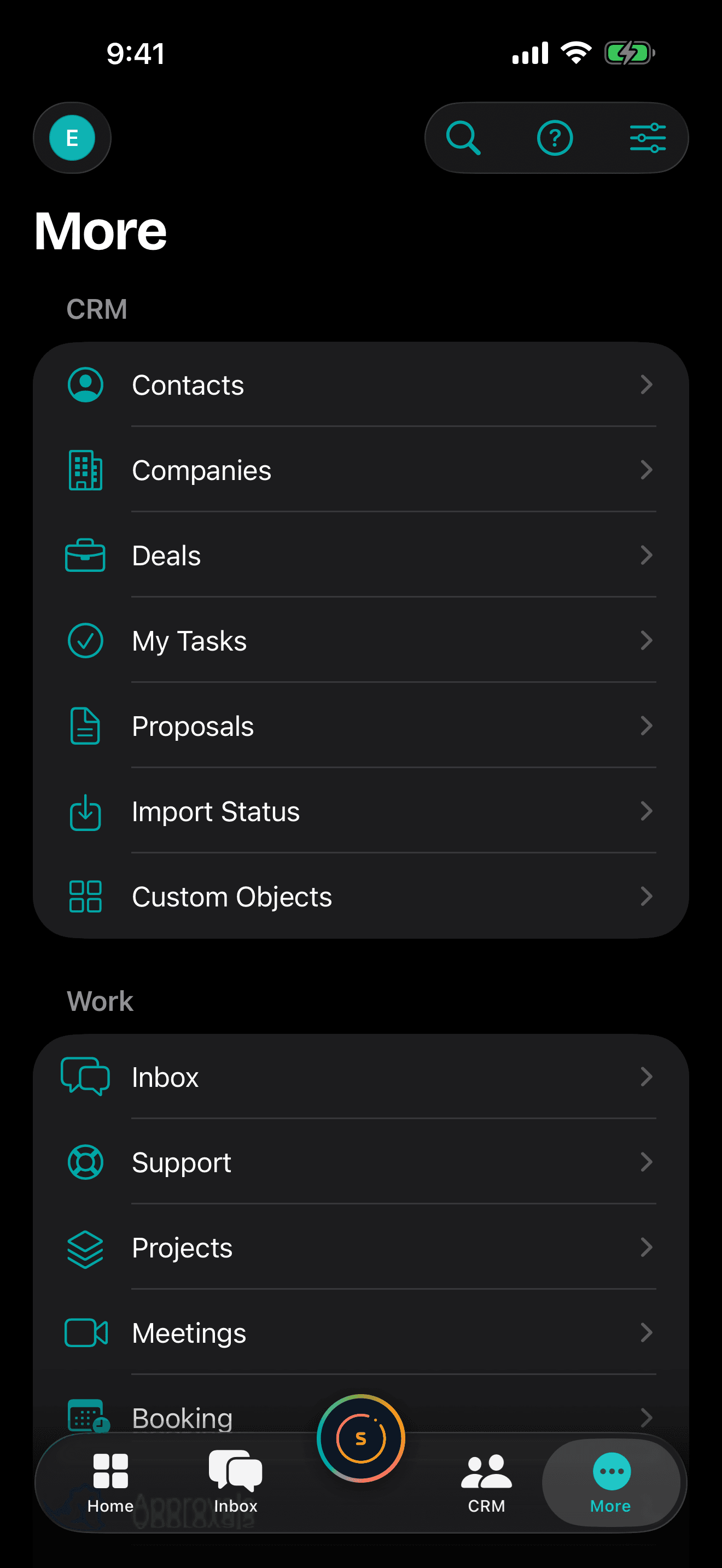
Nothing is hidden, and nothing is dead.
The More tab mirrors your web sidebar group for group, gated exactly the way the web gates it. A section you aren’t entitled to isn’t there; one that is, opens.
When it does notify you, it lands on the thing it’s about.
Opening one puts you on that record, not on a home screen. And before any of it reaches you, quiet hours, digest cadence and per-category routing are yours to set, per organization — including turning the whole channel off.
You can delete your account from the phone.
Account sheet, one tap, a confirmation that names exactly what goes. No support ticket, no web detour.
Native where there’s a native screen. Honest where there isn’t.
Home, the inbox, CRM, support, booking, notifications and the operator are built for the phone. The rest of the directory opens the web app already signed in, in a sheet inside the app — no second login, no dead end, and no pretending a web page is a native screen.
The questions people ask first. Straight answers.
Is this your website in an app wrapper?
No. iOS is SwiftUI, Android is Jetpack Compose — two native codebases against the same API, with the tab bar, the gestures and the dark Aurora world built for a phone. The screenshots on this page are captures of the app running on a device, not the website in a narrow browser. And where a screen isn’t native yet, the app says so and opens the web app already signed in, rather than pretending.
Will it do things while I’m not looking?
It writes when you say so. On a change to an existing record the operator stops, shows you what would change, and waits — scan a card for someone already in your CRM and it reports the match and asks whether to update them or just open them. And the list of things it can do at all is built from your own permissions every turn: a tool your role doesn’t grant isn’t hidden from the operator, it isn’t given to it. Every action it does take lands in the audit log.
Will this replace my team?
No — it mostly replaces the gap between "I saw that" and "I did something about it". The phone is where your people already read the message they can’t act on. The operator does the typing and the lookups; your team still decides, still answers the hard ones, and still gets asked before anything goes out.
Which phones does it run on?
iPhone and iPad on iOS 18 or later, and Android phones on Android 8.0 or later.
Do I need a new account or a different plan?
No. Sign in with the account you use on the web — email and password, or Google, Apple or Microsoft — and pick the organization you already belong to. If you arrive without one, the app will create it for you.
Can I take calls, sign documents, or track a technician in it?
Not today. In-app calling, signing an e-sign envelope on the device, and live field-service tracking are things we intend to build natively, and they are the reason the apps are native at all — but none of them ships yet, and we would rather say so here than let you find out after you install it.
When can I actually get it?
The two platforms are on different clocks, so we’ll say it plainly rather than give you one date. The iPhone app is with Apple for review and should reach the App Store shortly. The Android app is further behind — it isn’t on Google Play yet and won’t be for a while longer. Leave your email below, tell us which one you’re waiting on, and we’ll send you one message when that platform is genuinely installable. Nothing else.
We’ll tell you the day it lands. Nothing else.
There’s nothing to download this minute. iPhone is close — it’s with Apple now. Android is further out. Tell us which one you carry and we’ll send you a single message when that one is really in the store, not when it’s nearly there.
Tell me when the app lands
Which platform are you waiting on, and what would you want to do from the phone first?
By submitting this form, you agree to our Privacy Policy and Terms of Service.