Stop Playing Calendar Tennis
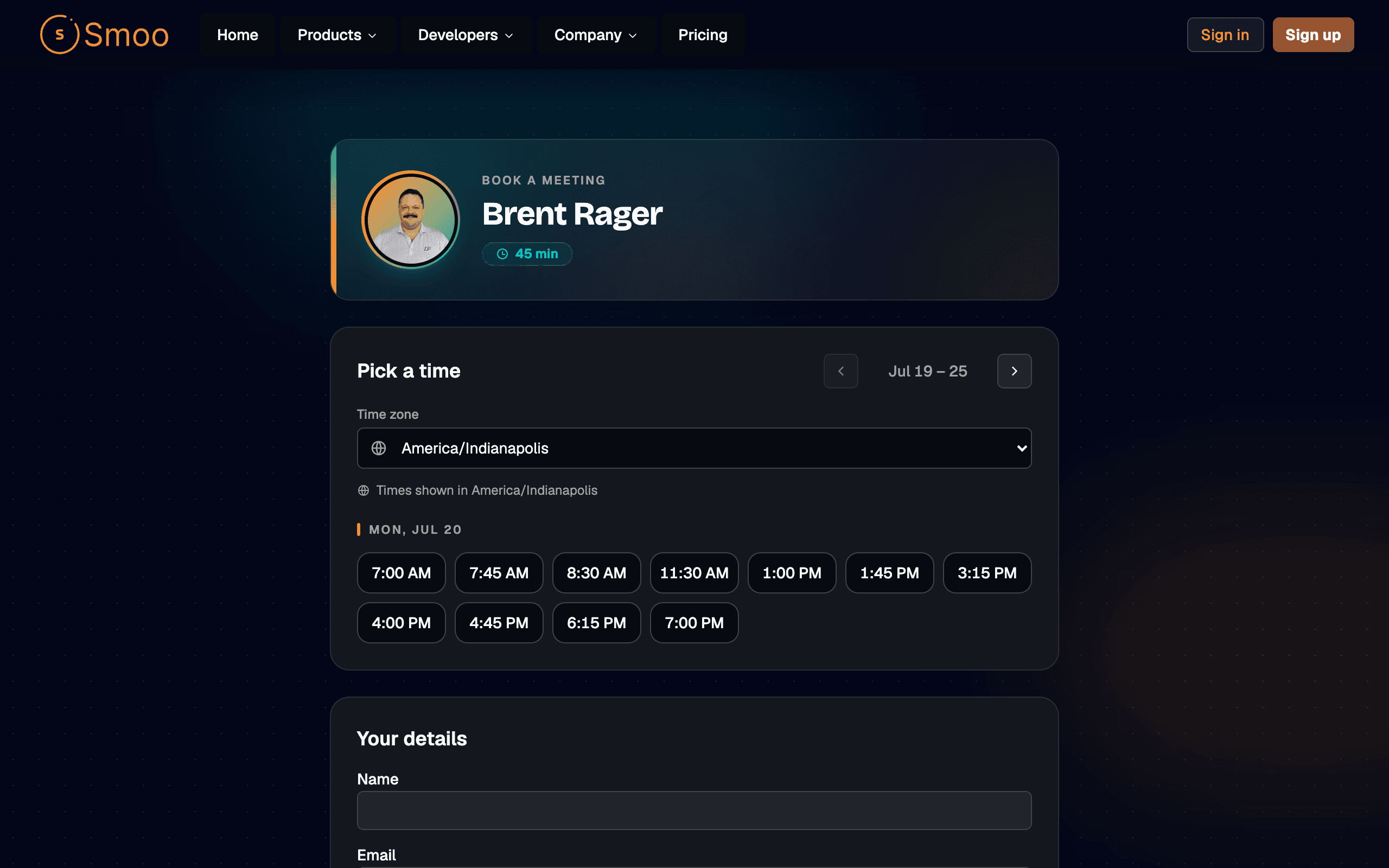
"Does Tuesday work? No? How about Thursday afternoon?" — five emails later, the slot is gone. Share one link instead. It reads your real Google Calendar availability, lets people pick a time that actually works, and puts the meeting on both calendars. The booker turns into a contact in your CRM automatically.
One Link. Your Calendar. Zero Back-and-Forth.
Connect Google Calendar once, set the hours you're willing to meet, and share your link. Everything below comes straight from the shipped booking settings — not a wishlist.

A Link Per Teammate
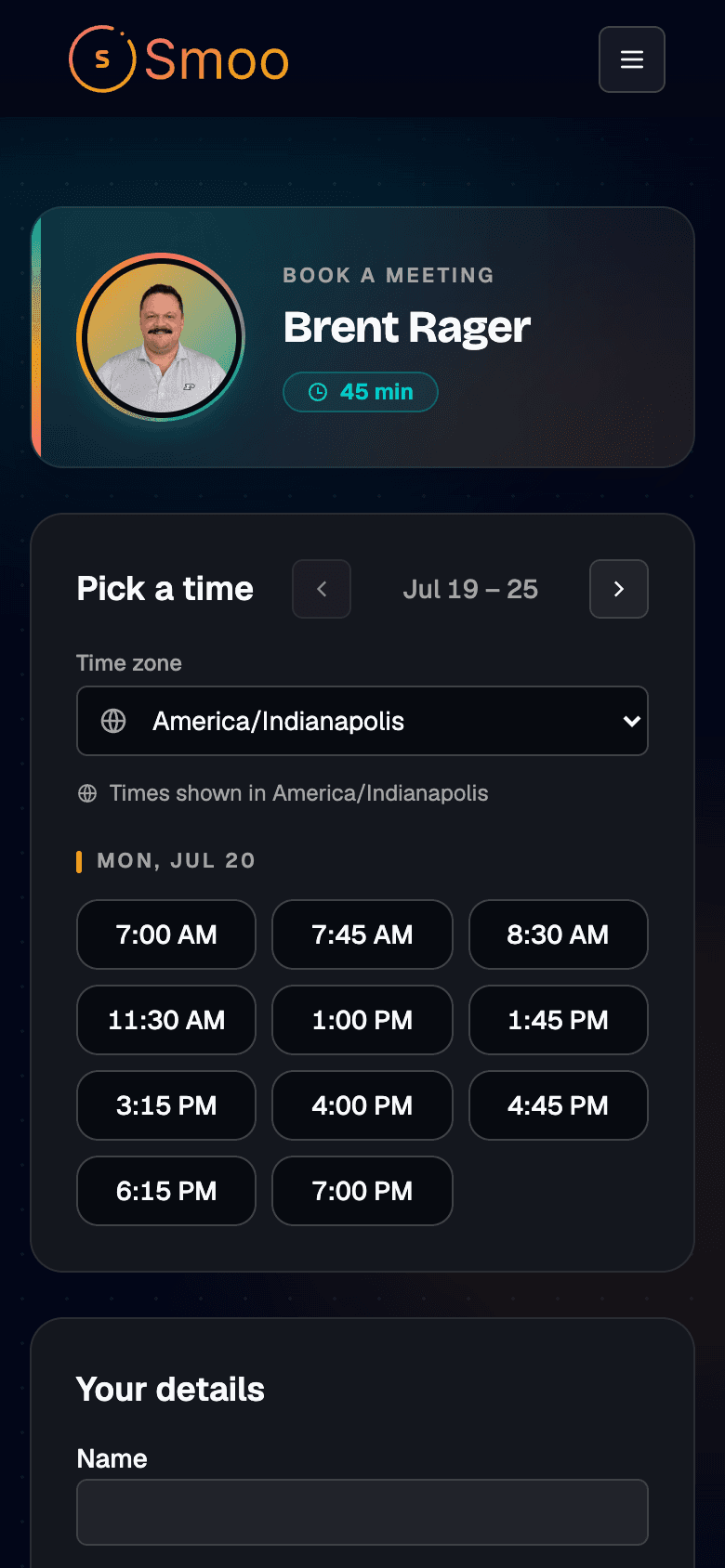
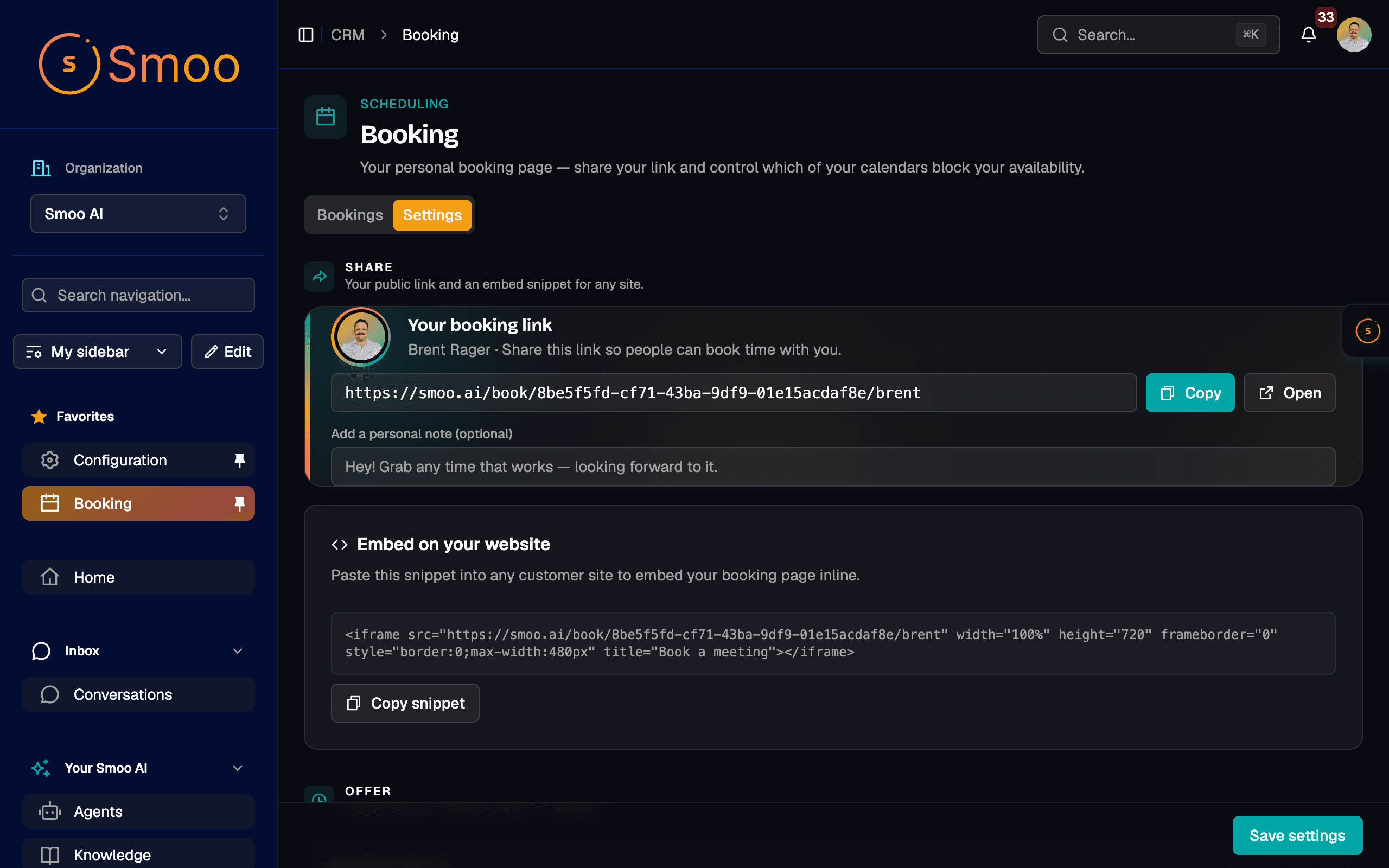
Everyone on your team gets their own public booking page. Copy your link, drop it in an email signature or a website, and people book directly with you.
Real Google Calendar Availability
Slots come straight from your connected Google Calendar, so you never get double-booked. A confirmed booking drops a calendar event and sends the attendee an invite.
Availability on Your Terms
Choose the days and hours you'll meet, your time zone, and which calendar to check. Set it once and your link respects it from then on.
Meeting Rules That Protect Your Day
Offer 15, 30, 45, or 60-minute meetings, add buffer time between them, require a minimum notice so nobody grabs your next ten minutes, and cap how far out people can book.
Bookings Flow Into Your CRM
Whoever books becomes a contact in your CRM automatically, so a meeting request turns into a tracked relationship instead of a name you'll forget by next week.
Self-Service Reschedule & Cancel
Every booking comes with a manage link so the other person can reschedule or cancel themselves — no reply-all thread to move a meeting by fifteen minutes.
Why Smoo AI Booking?
Your Calendar Is the Source of Truth
Availability is read live from Google Calendar and the booking writes an event straight back to it. Nothing to sync, nothing to double-check.
Every Meeting Feeds the Relationship
Because booking and CRM live in the same platform, a booked call already knows who the person is — and keeps a record of it — instead of stranding the lead in a standalone scheduling tool.
Make It Yours
Set the display name and avatar visitors see on your booking page, so it looks like you invited them — not like a generic form.
Set Up in Minutes
Connect Google Calendar from Integrations, pick your hours and durations, copy your link. That's the whole setup.
Give Your Whole Team a Booking Link
Connect Google Calendar, set your hours, and start letting people book straight into your day — with every booking landing in your CRM.
Get Started with Booking
Tell us how your team meets with customers and we'll help you set up booking links backed by your calendar.
By submitting this form, you agree to our Privacy Policy and Terms of Service.